
NOTCHCAFE / MUSIC CONTROLS
Your music, in your Mac’s notch.
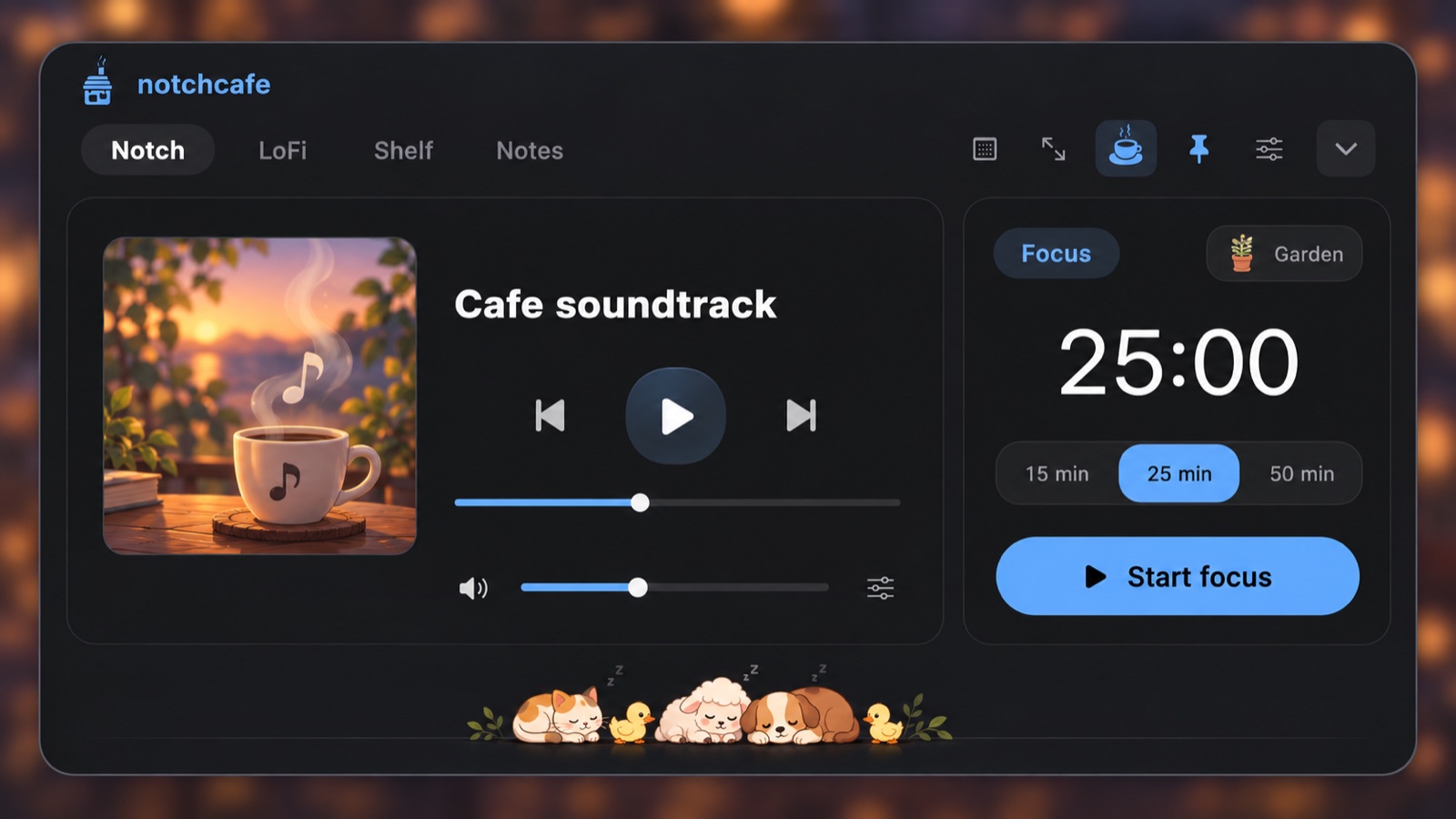
NotchCafe shows what’s playing at the top of your screen. Play, pause, seek, and skip without leaving the app you’re working in.
Works with the players you already use
- Apple Music and Spotify desktop apps.
- YouTube and YouTube Music in Google Chrome or Safari. No browser extension needed.
When several players are open, NotchCafe follows the one that most recently started playing. You can also pick a source from the player menu.
What you see
The expanded notch shows the track title, artist or channel, album when the player provides one, elapsed time, and duration, with album artwork or the video thumbnail. When the notch is collapsed, a small equalizer shows that music is playing. It indicates playback, not measured audio levels.
Nothing playing? Press Play to open the café soundtrack on YouTube in your browser.
Setup takes a minute
Apple Music and Spotify
Open the app, start a track, and allow NotchCafe’s macOS Automation request. NotchCafe never launches an idle player on its own.
YouTube in Chrome
Allow NotchCafe to control Chrome when macOS asks, then choose View → Developer → Allow JavaScript from Apple Events in Chrome’s menu bar.
YouTube in Safari
In Safari Settings → Advanced, enable Show features for web developers. Then, in the Developer menu, enable Allow JavaScript from Apple Events, and allow NotchCafe to control Safari when macOS asks.
NotchCafe only runs its scripts on youtube.com and music.youtube.com. It doesn’t use login tokens, private system APIs, or uploads.
Lyrics and a full-screen café
Switch the right-hand card to Lyrics to look up words for the current track. It’s opt-in: while Lyrics is selected, the track title, artist, album, and duration are sent to LRCLIB to find a match. Results depend on the track.
Full Screen Mode expands NotchCafe across your display with a large YouTube player beside compact café controls. For a playback-free soundtrack, try the offline LoFi studio.
Good to know
- Live streams, ads, and restricted videos may not allow seeking or skipping.
- Other Chromium browsers and third-party desktop wrappers aren’t supported.
- Artwork from Spotify and YouTube is fetched directly from their image servers, without cookies, and kept only in memory. See privacy.
Try NotchCafe free for 7 days.
Native Mac app · macOS 14 or later · Apple Silicon · Works without a notch, too. Your trial never charges automatically.